Version Control
Through a Dataset’s lifetime, a large amount of data will be created and changed, which can become very difficult to keep track of. For this reason, Conservator has a command-line extension called Conservator-CLI, which enables Dataset management and version control from the command line. First, ensure that you are working on a Linux machine. (If you are on a Windows computer, you can use WSL or a Virtual Machine). Then, ensure that your Linux operating system has python3 installed. Next, install Conservator CLI using the following guide: CLI Installation Guide
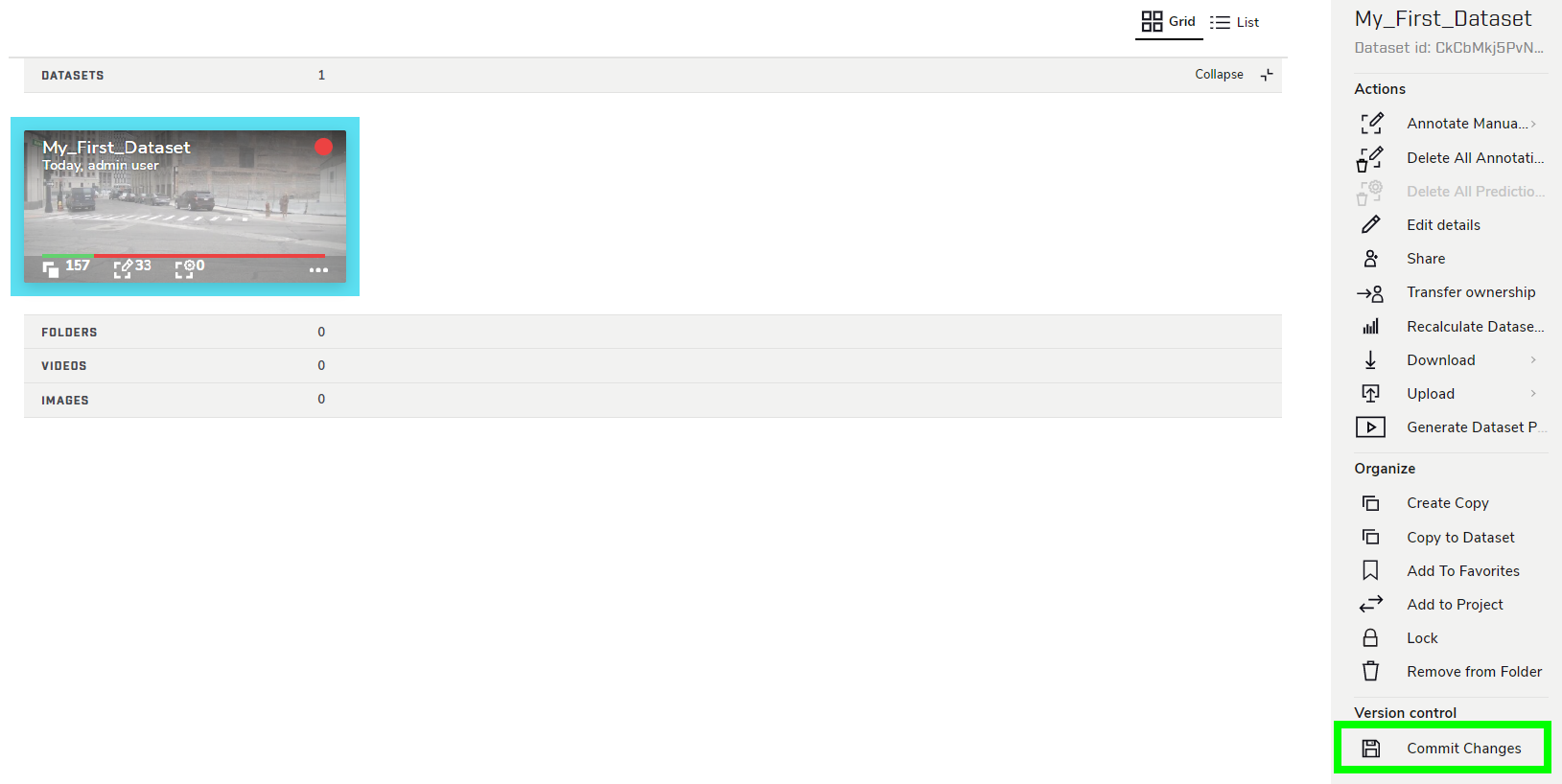
While working in a Dataset, it is strongly recommended to Commit Changes as often as possible, especially while the Dataset is being annotated. To do so, click the Commit Changes button in the right sidebar.
Add a commit message, then click COMMIT.
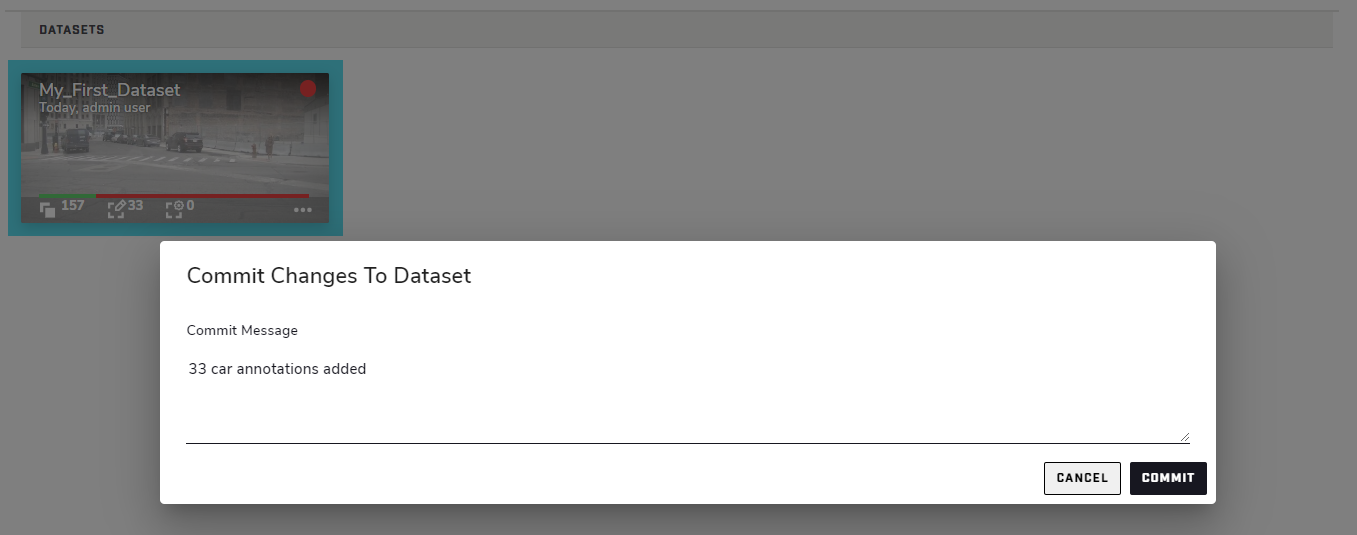 Committing frequently not only keeps track of changes, but also serves as a safeguard against accidental data loss. Version history can be viewed by clicking Download → Version History.
Downloading a Dataset
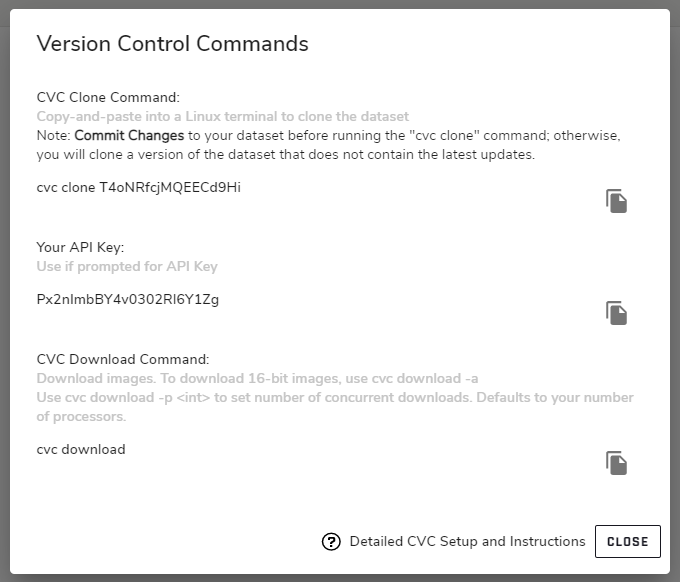
To clone a Dataset to your PC using the CLI, select a Dataset and click Download → From CLI in the right sidebar to display the Version Control Commands dialog. This dialog displays commands you can use to create a copy of the currently selected dataset on your local machine.
The repository should now contain the following files and folders:
File Name |
Description |
|---|---|
data |
Directory containing .jpg’s of each frame from a Dataset. |
index.json |
|
dataset.jsonl |
File containing Dataset details in JSONL format*. |
frames.jsonl |
File containing Dataset Frames details in JSONL format*. |
videos.jsonl |
File containing Source Video(s) details in JSONL format*. |
.cvc |
Directory containing a global cache. Do not modify any files in this directory. |
* - JSONL (JSON Lines) is a format similar to JSON, in which each individual line of a text file corresponds to a single JSON object.
It may be desireable to modify annotations or change other Dataset information in the JSON(L) files and push these modifications to Conservator. This must be done carefully, as mismatched/duplicate ids, incorrect validation hashes, and invalid fields can occur and cause errors.
To save JSON changes to a Dataset, first run the following command to commit:
$ cvc commit "some message to describe changes"
Next, push your changes to the repository:
$ cvc push
Assuming that there are no errors, changes will now be reflected in Conservator.
Advanced Usage
More information about Conservator-CLI can be found in the Conservator-CLI Documentation