Annotating a Dataset
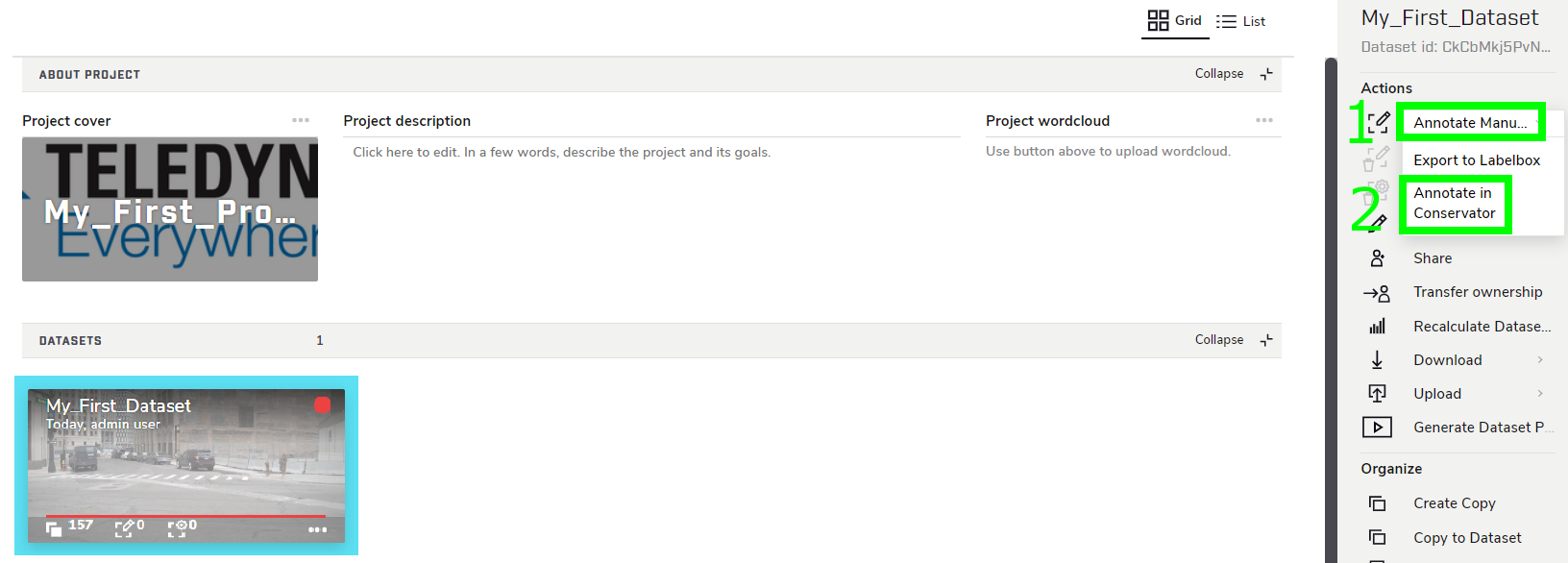
Now that the Dataset contains Frames, has an attached Label Set, and has been moved to the Project, it’s time to start annotating. There are a few different ways to access the annotator,
but for now, do so by selecting the Dataset, then clicking Annotate Manually → Annotate in Conservator in the right sidebar.
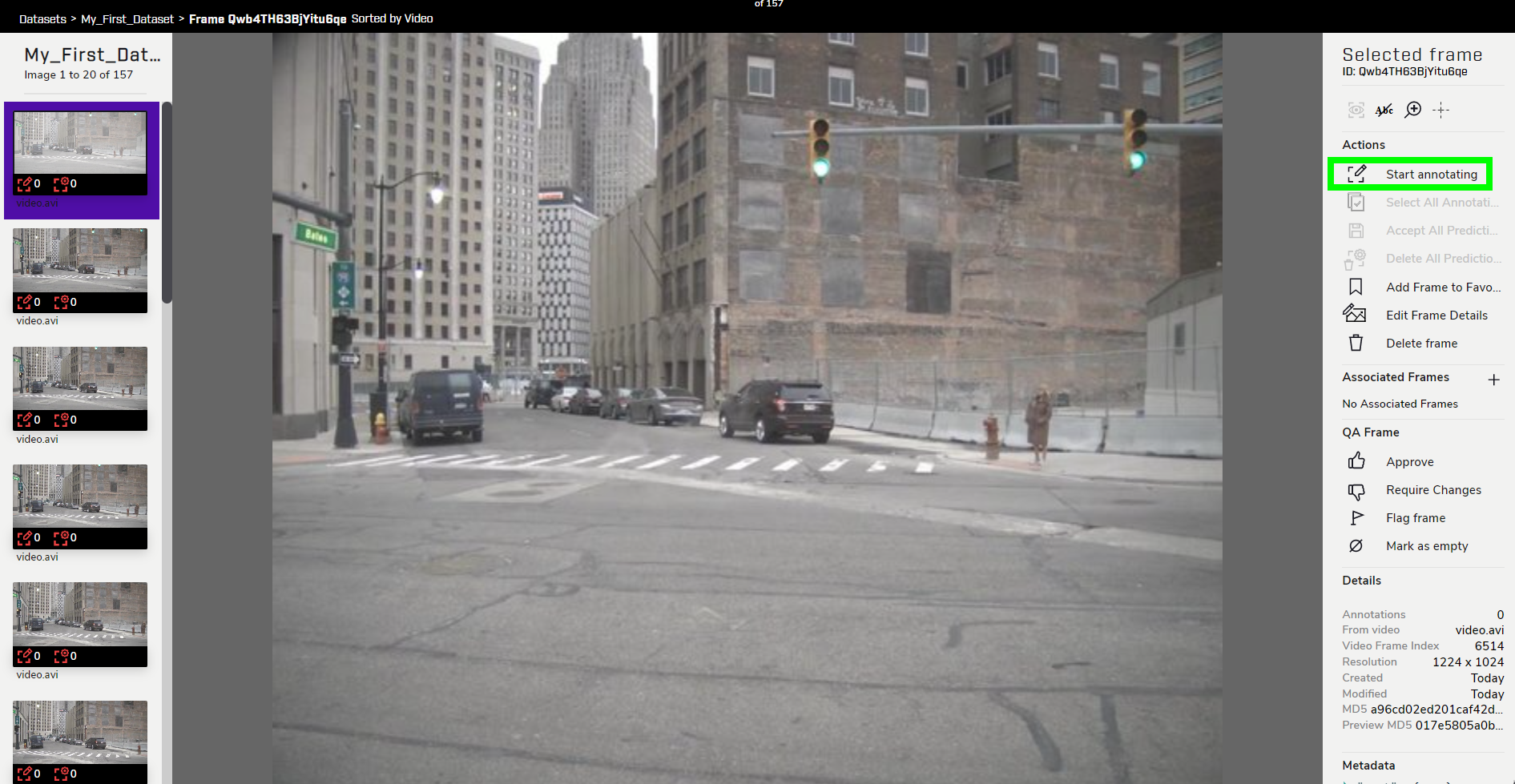
Click Start Annotating.
From here, you can start annotating key features in each Frame depending on the tool used. For a Bounding Box, click and drag a rectange around a feature. For a Point, simply click on top of the feature to place an annotation. For a Bounding Polygon, click points around the feature, then click the starting point to close the polygon.
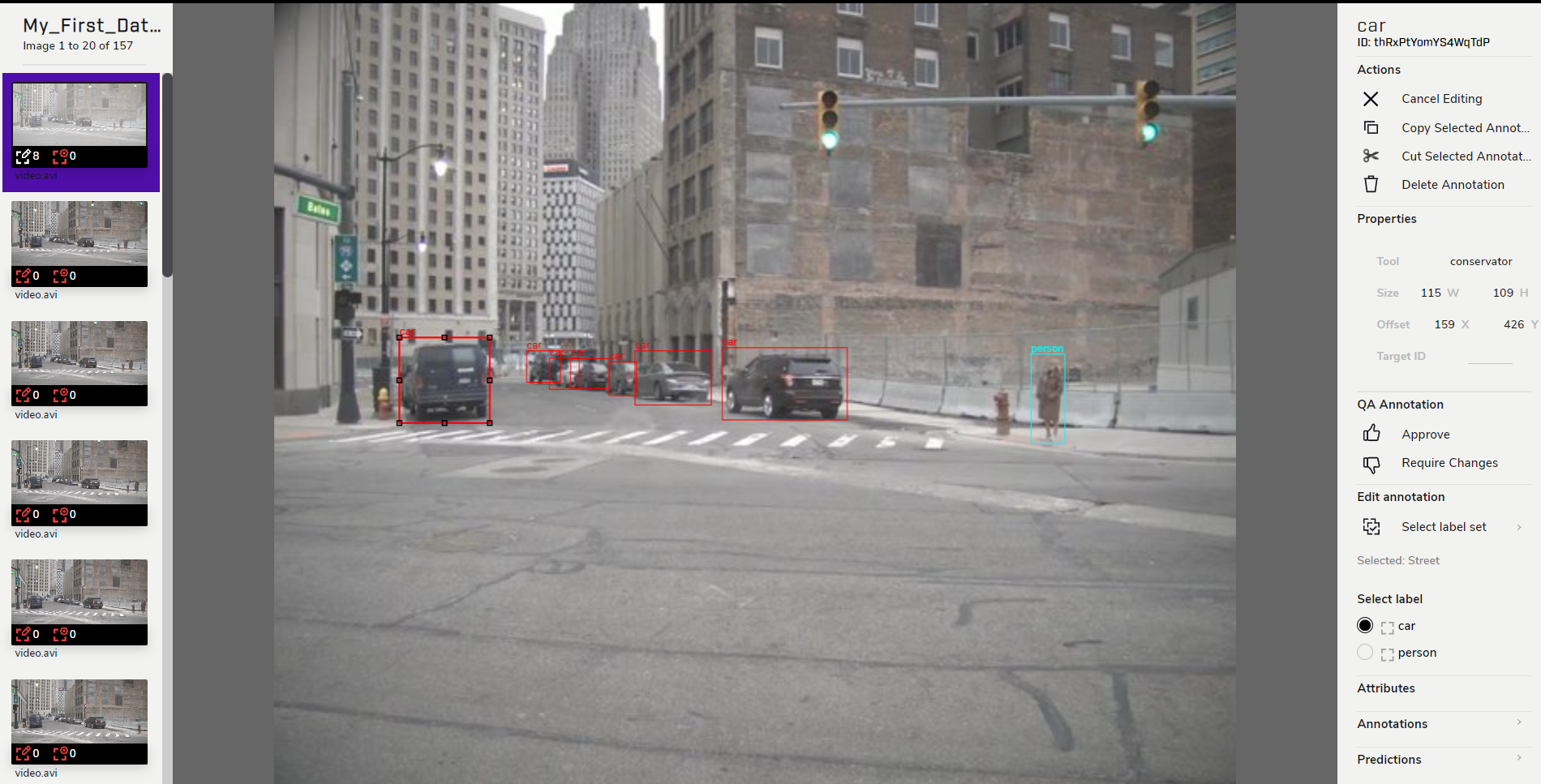
Annotating frames can be a very grinding process, so it can be helpful for annotators to figure out a rhythm. One such rhythm could be annotate, annotate, …, hit Esc (de-select), hit Right-Arrow (next frame), repeat. Depending on how many features there are per frame, one could likely get through about 5-10 frames a minute. If an annotation needs to be redone, hitting Backspace will delete the currently-selected annotation. Different labels can be selected under Select Label.
Switching between Labels can cost extra time, which adds up significantly when annotating hundreds, or even thousands of Frames. It is recommended to annotate one type of feature through multiple Frames at a time, as opposed to annotating for multiple types of features one Frame at a time.
If you want to annotate for a feature that was not included when creating a Label Set, there is an option to select a different Label Set. However, using Labels from multiple Label Sets in a single Dataset is strongly discouraged.
Rather, stay in the default Label Set, then add a new Label from Settings as described in Creating Label Sets. That way, everyone who works in this Dataset will always be using the same Labels, keeping the annotations consistent.
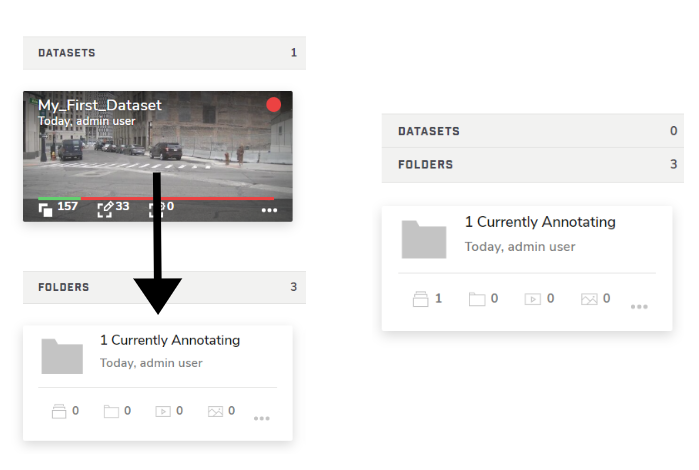
Now that some annotations have been drawn, the Dataset should be moved to the Currently Annotating Folder with a simple drag and drop.