Attaching a Label Set to a Dataset
A Label Set was created ealier to annotate for “car” and “person,” and now that Label Set can be attached to the Dataset, which will make annotating easier and more structured.
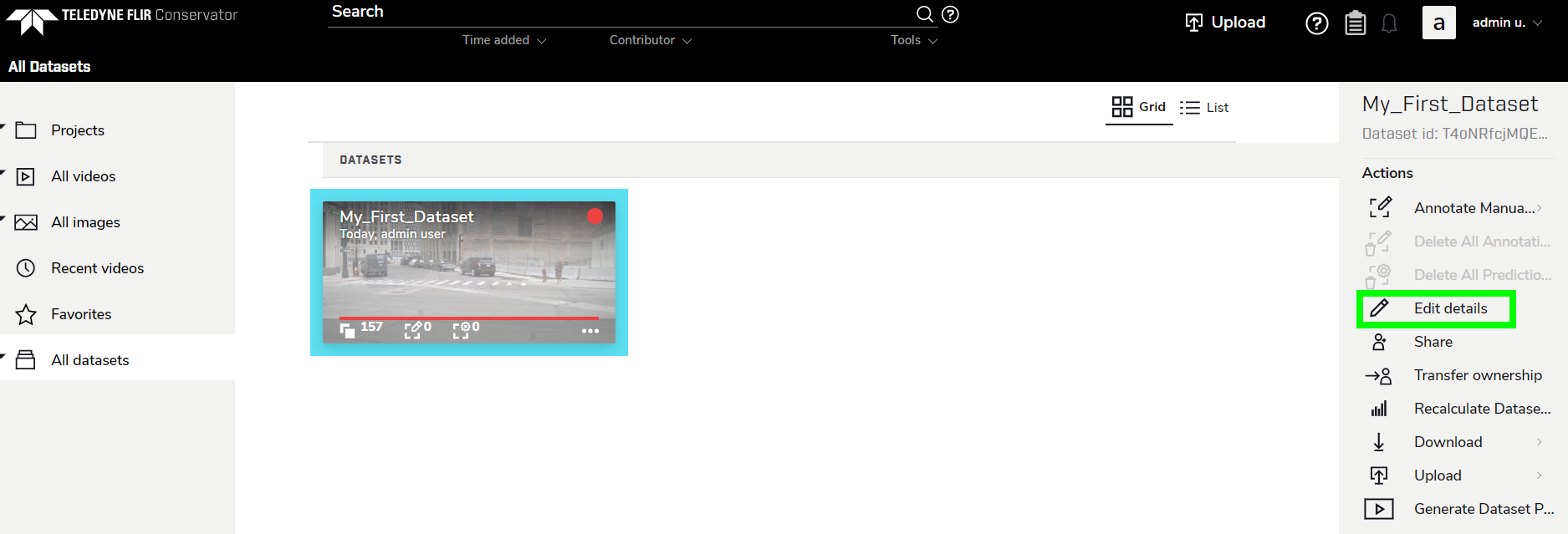
Attaching a Label Set to a Dataset is done by editing the Dataset’s details. There are a few different ways to do this, but it is recommended to click either Edit details in the right sidebar or by clicking the options button in the Dataset thumbnail, then clicking Edit details.
Check the box next to the desired Label Set, then click SAVE.
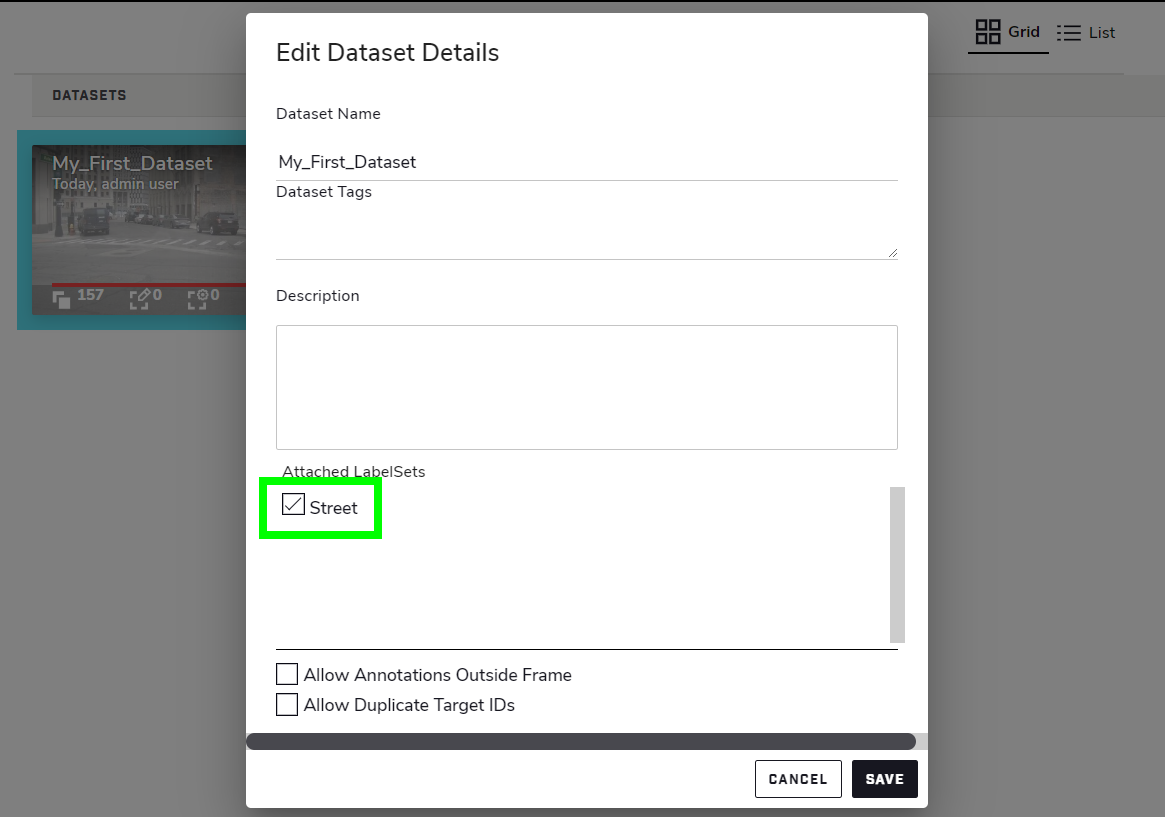 The “Street” Label Set is now attached to the Dataset, so whenever the Annotator for this Dataset is opened, the Labels will be defaulted to this Label Set.